couch remote
your iPhone as a trackpad, keyboard & media remote for your Mac
the laptop is across the room, or shut and plugged into a monitor. i'm in bed with youtube or netflix playing in a browser, and i don't want to get up to pause, skip, fix the volume or type a search. so i built two small native apps that let my phone do it, over wi-fi.
the app
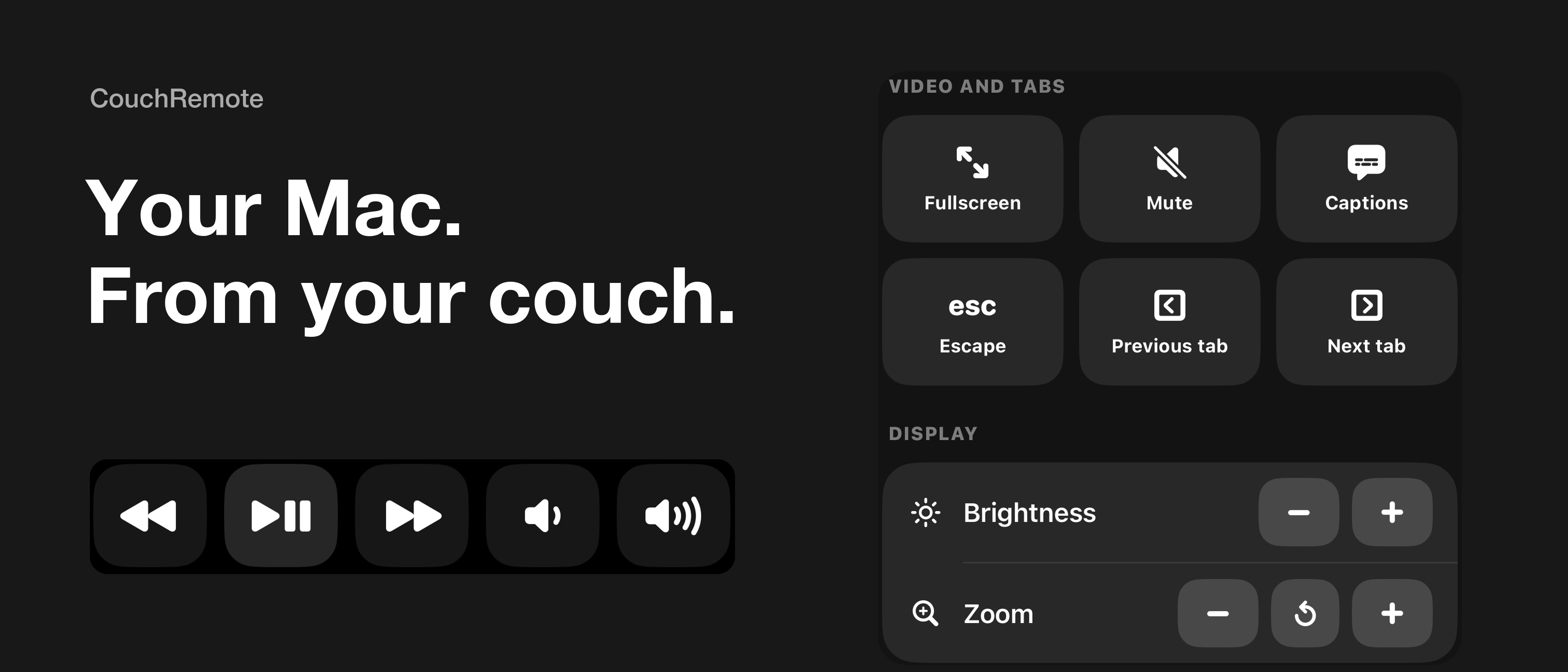
the phone is the controller: a full-screen trackpad, one calm row of playback buttons, and everything else one tap away.


what it does
a trackpad that feels like one
pointer acceleration, tap to click, two-finger tap to right-click, two-finger scroll with momentum, pinch to zoom, tap-then-hold to drag. motion goes out once per display frame, so it keeps up on a 120hz screen.
movie-night buttons
play/pause, seek and volume sit in one row and use the system media keys, so whatever the browser is playing responds. fullscreen, captions, mute, tabs and brightness live in a pull-up sheet.
the real iOS keyboard
what you type is diffed against what's already sent, so autocorrect, predictive text and dictation corrections land correctly on the Mac. emoji and any language work.
a sleep timer the Mac keeps
the timer runs on the Mac, so it still puts it to sleep after your phone locks. plus a true-black night mode, and the phone is allowed to auto-lock.
a remote that can type shouldn't be open to the whole wi-fi
laptops join café and office networks, so this was the part i spent the most care on. nothing is trusted by default. you pair once by scanning a QR code the Mac shows for five minutes; that code carries a random key only the two devices share, kept in the Keychain on both sides.
every connection is encrypted with no plaintext fallback, and the phone has to prove which pairing it is before the Mac lets it take over, so a half-open connection can never kick out the phone you're actually holding. no accounts, no servers, no tracking.
how it's built
- Swift 6 and SwiftUI on both sides, Network.framework for Bonjour discovery and the encrypted transport.
- one shared Swift package,
RemoteKit, holds the wire protocol, the pairing rules and the transport. it's unit tested, including real TLS handshakes with the right key, a wrong key and a plaintext peer. - a small hand-rolled binary protocol that tolerates version drift: an older app skips messages it doesn't know, so a new phone still works with an old Mac, minus the new feature.
- every feel constant (cursor speed, scroll gain, momentum, tap and drag thresholds) lives in one
Tuning.swift, so tuning the trackpad was a matter of editing numbers and trying it from the couch. - the Mac app needs Accessibility permission and can't be sandboxed, so it ships as a notarized DMG from GitHub, and it checks for updates once a day without installing anything on its own.
try it
get Couch Cursor on the App Store (free, that's the iPhone app's store name), install the Mac app, then pair from its menu-bar icon. it's MIT licensed and the code is on GitHub. built for one person's couch, so expect a rough edge or two.