
Designing the app experience for India's most advanced smart door lock.
Product design
✦
Motion
✦
Interaction
✦
Sound
Role
Sole product designer
UX architecture, interaction design, visual design, motion direction, copy, design system
Team
2 Developers, 1 Product manager
Duration
6 Months
June 2025 - December 2025
Native is a D2C brand under Urbancompany where we have a range of smart RO water purifiers & smart door locks sold direct to the 12M+ consumers already on the UC platform & other marketplaces (Amazon & Flipkart).
Lock Ultra was a generational leap in the hardware. It was our fourth generation smart door lock which had a lot of unique features which smart door locks in India didn’t have until now. The app had to match it. At ₹25,000, this is a considered purchase the buyer is comparing against Eufy, Yale, Godrej, Mygate, Qubo. The app experience is a part of what they’re paying for.
Watch the amazing launch video of the product to understand more in detail. You can buy the product from amazon or Urbancompany’s app
Challenge
The challenge was to make a complex IoT product experience with Bluetooth pairing, Wi-Fi setup, face registration, finger registration and remote access; feel effortless for a first-time smart lock buyer, while being robust enough for daily use in the most distracted real-world contexts.
We had sold smart locks before. The previous app for Lock Pro was a digital user manual functional, barely. Users could do very little. No Face ID, no remote unlock, no two-way talk. The lock and the app felt like two separate products.

Lock Pro’s app vs Lock Ultra’s app
Onboarding
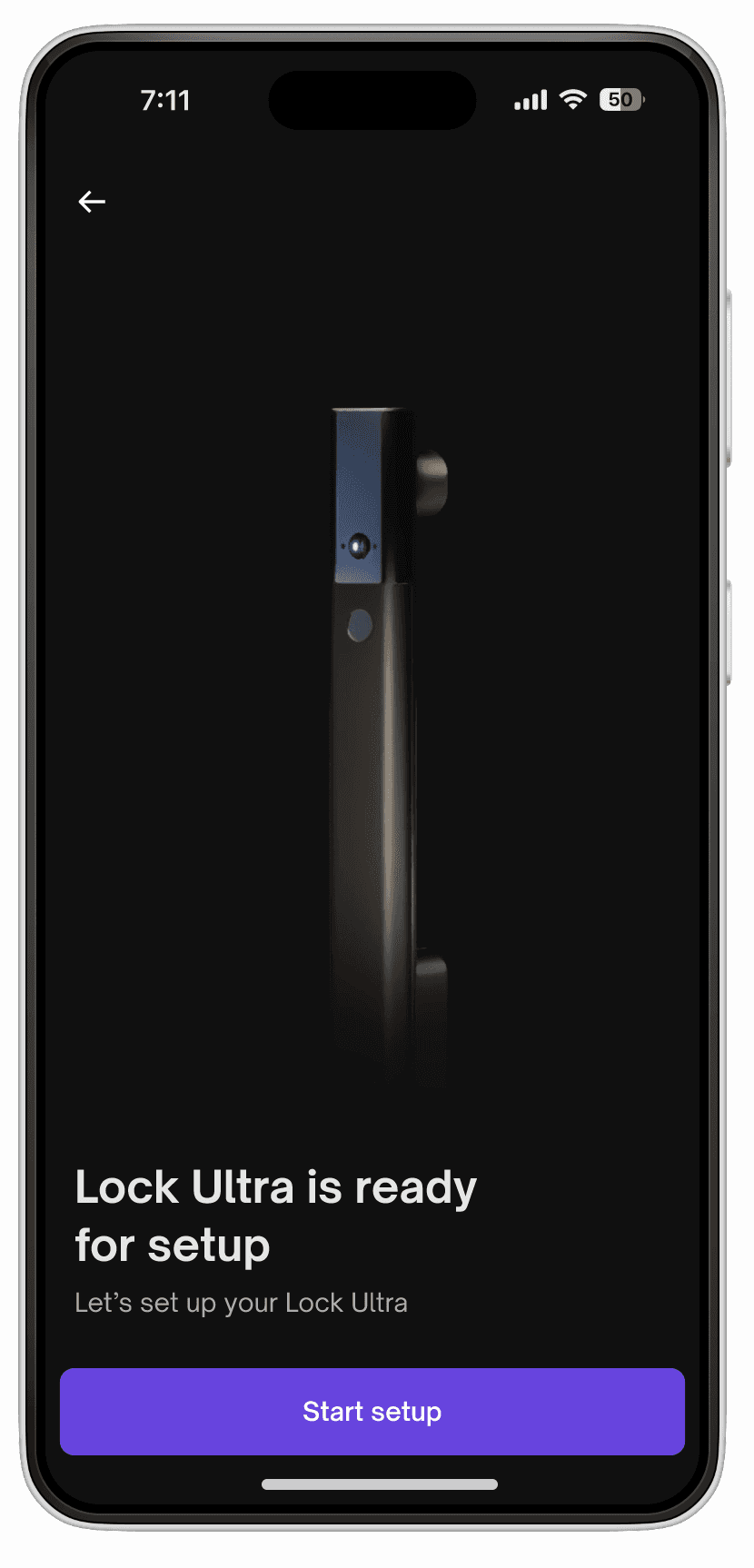
The user is holding their phone standing in front of the door for the first time. That context drove every micro-decision; soft haptics on hardware confirmation so the user feels the lock respond without looking at the screen, loaders paired with tutorial prompts that teach while the device connects so dead wait time becomes onboarding time.
Pairing the lock with your phone
Fingerprint addition onboarding
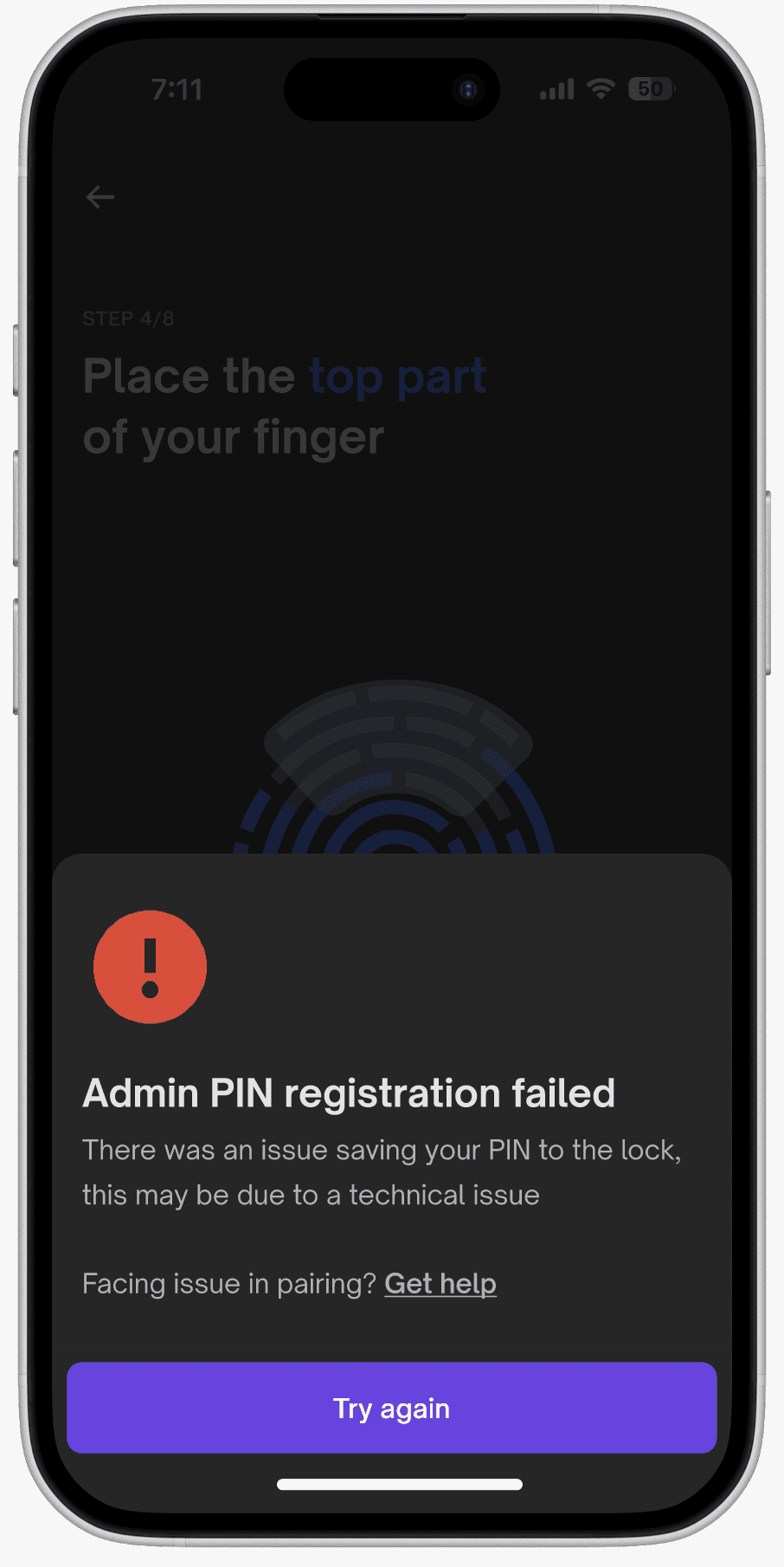
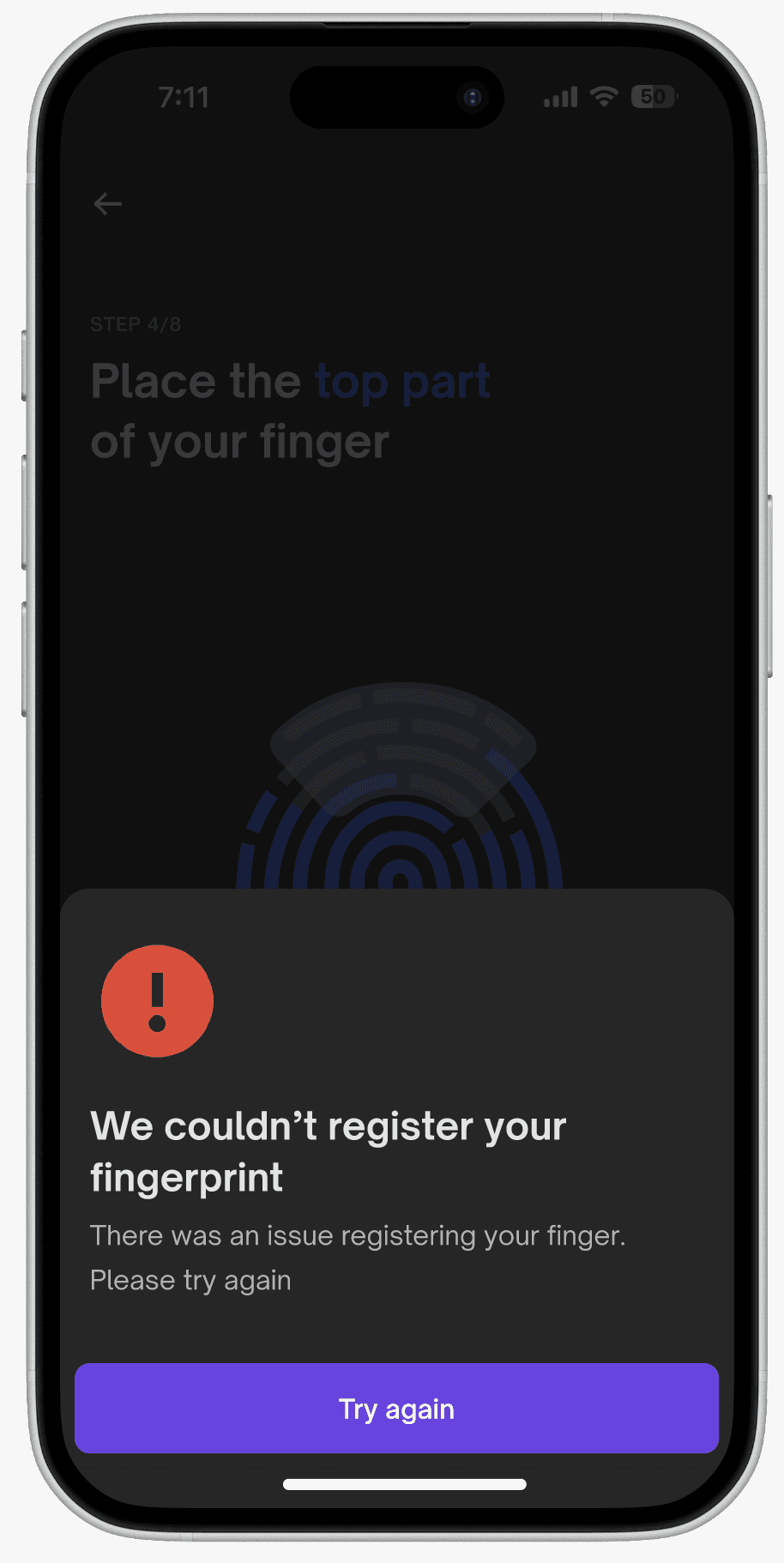
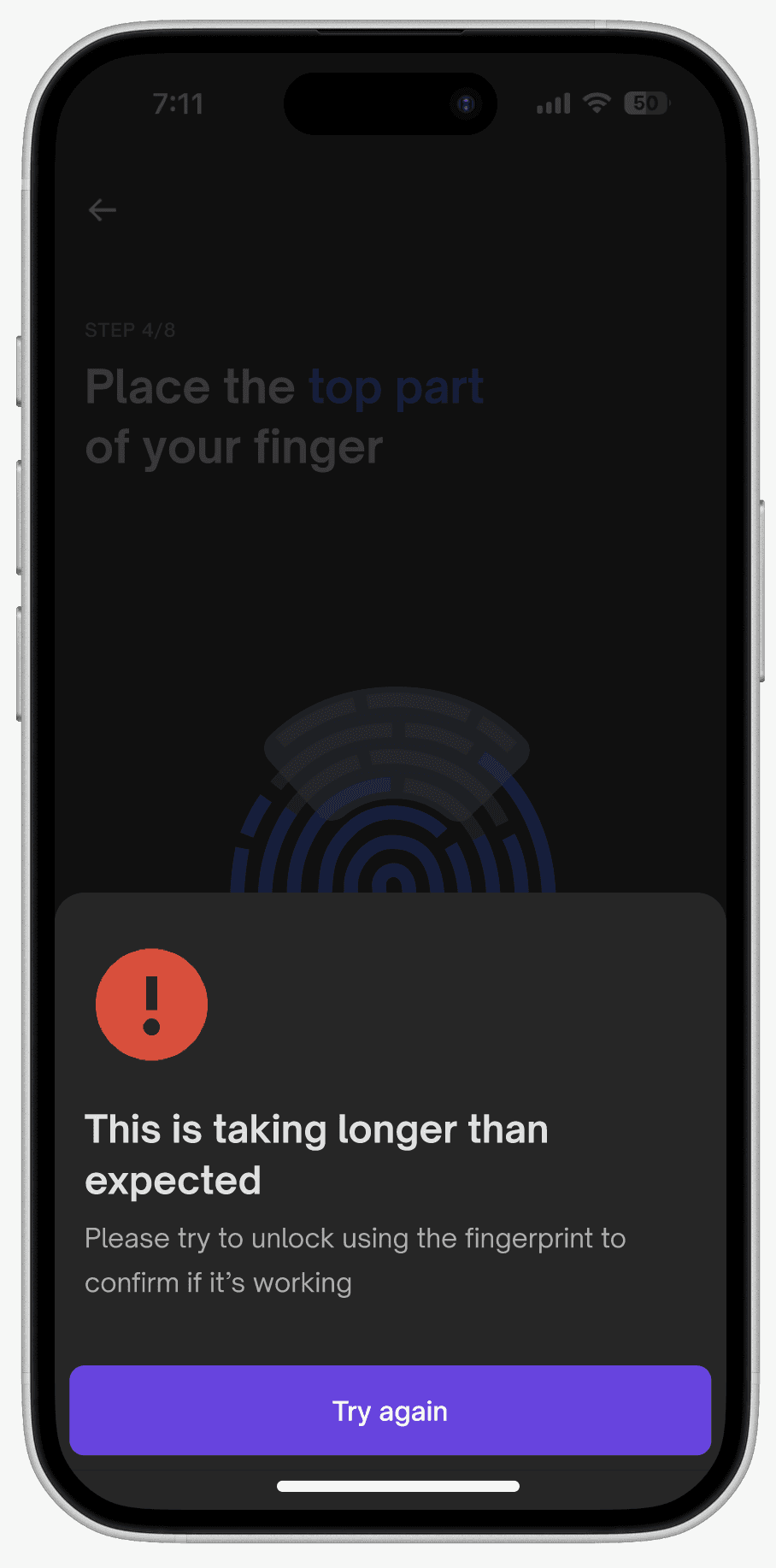
Fingerprint addition error case handlings
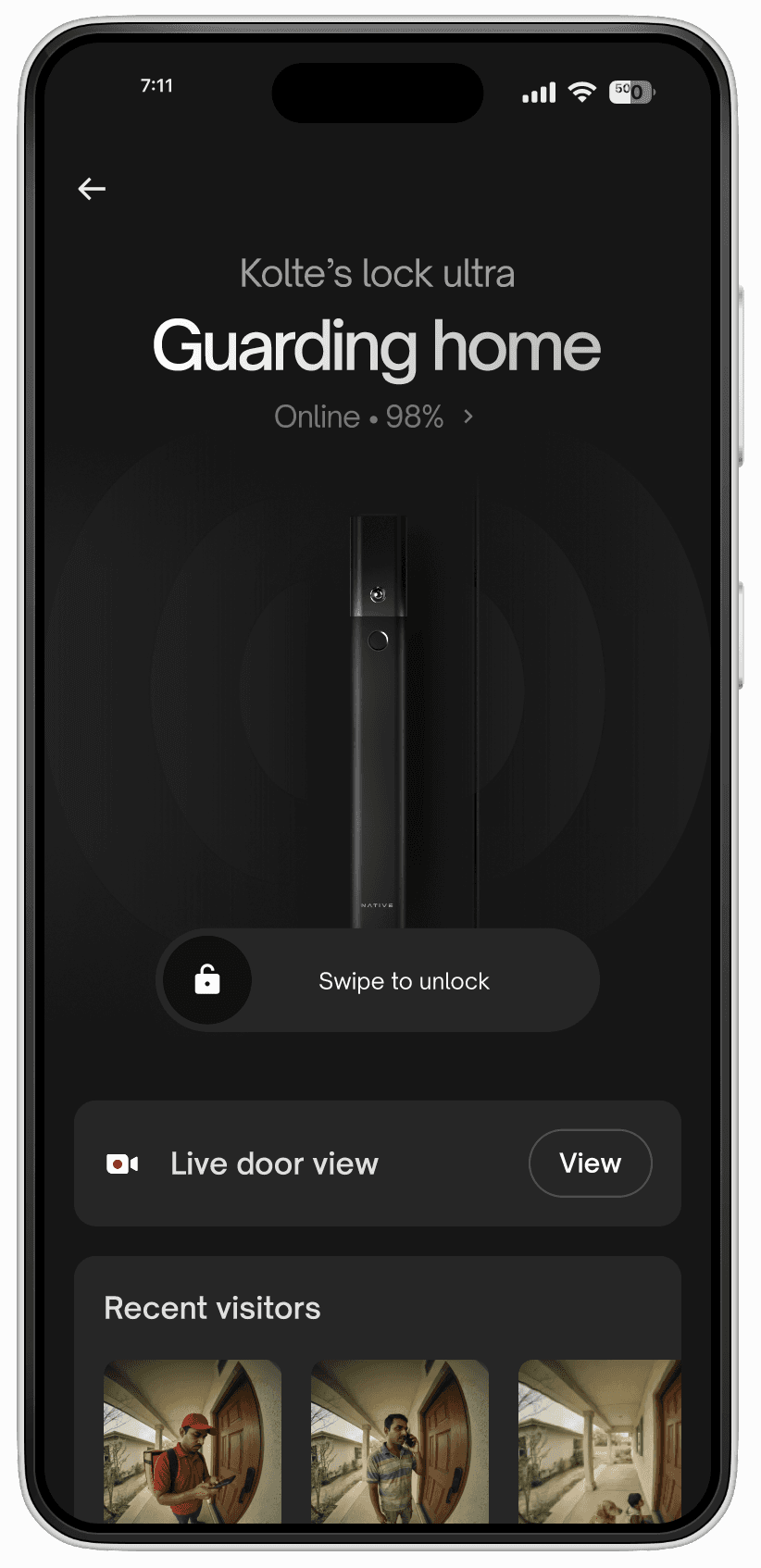
Device home page
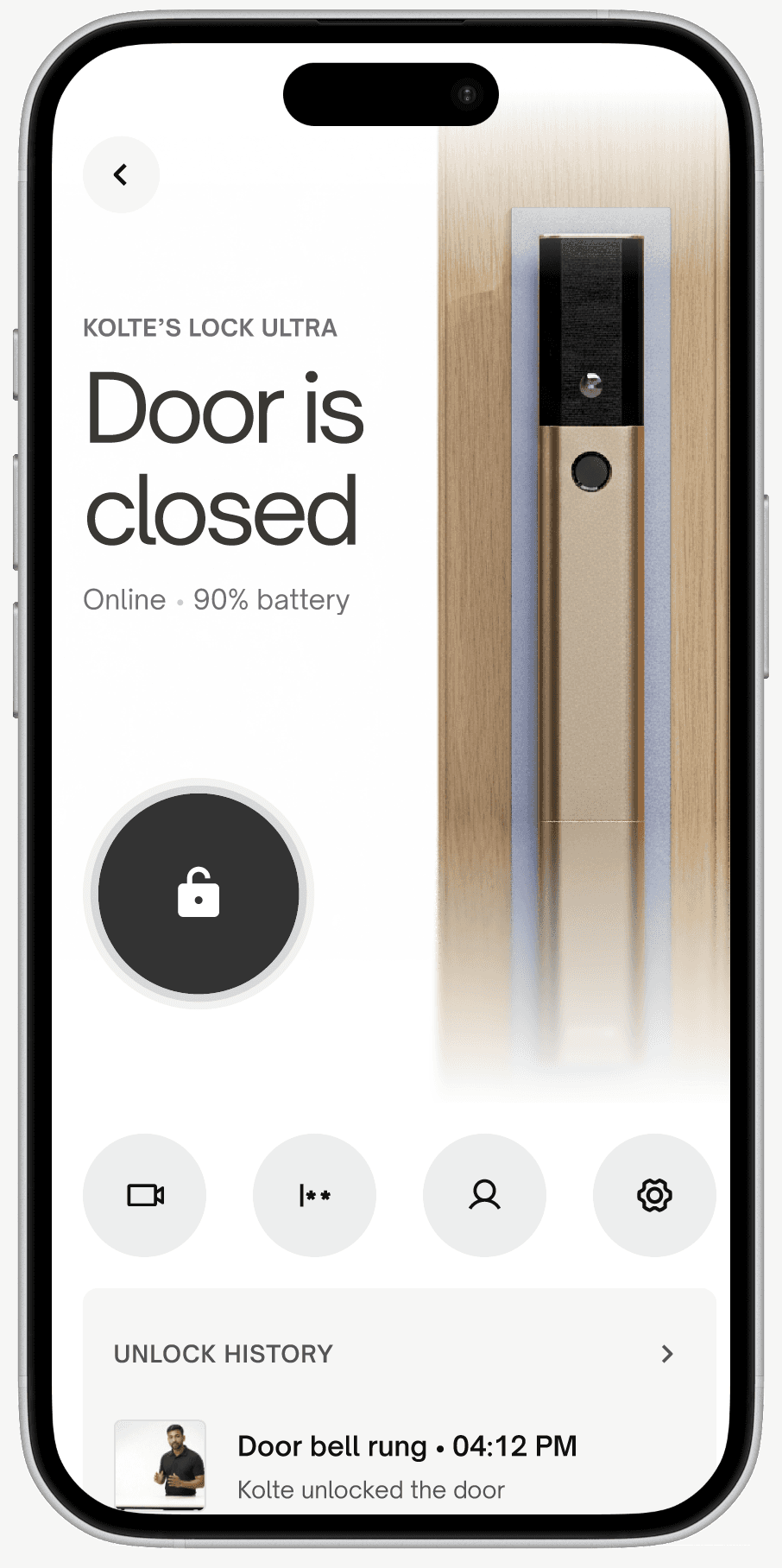
This was the page where the user should be seeing everything & all about their lock and had to be designed from the perspective that: "Is my home secure right now?" "Who can access my home?" "Who's at my door?" "Is my child safe at home?"
Home page
Other explorations which couldn’t make through
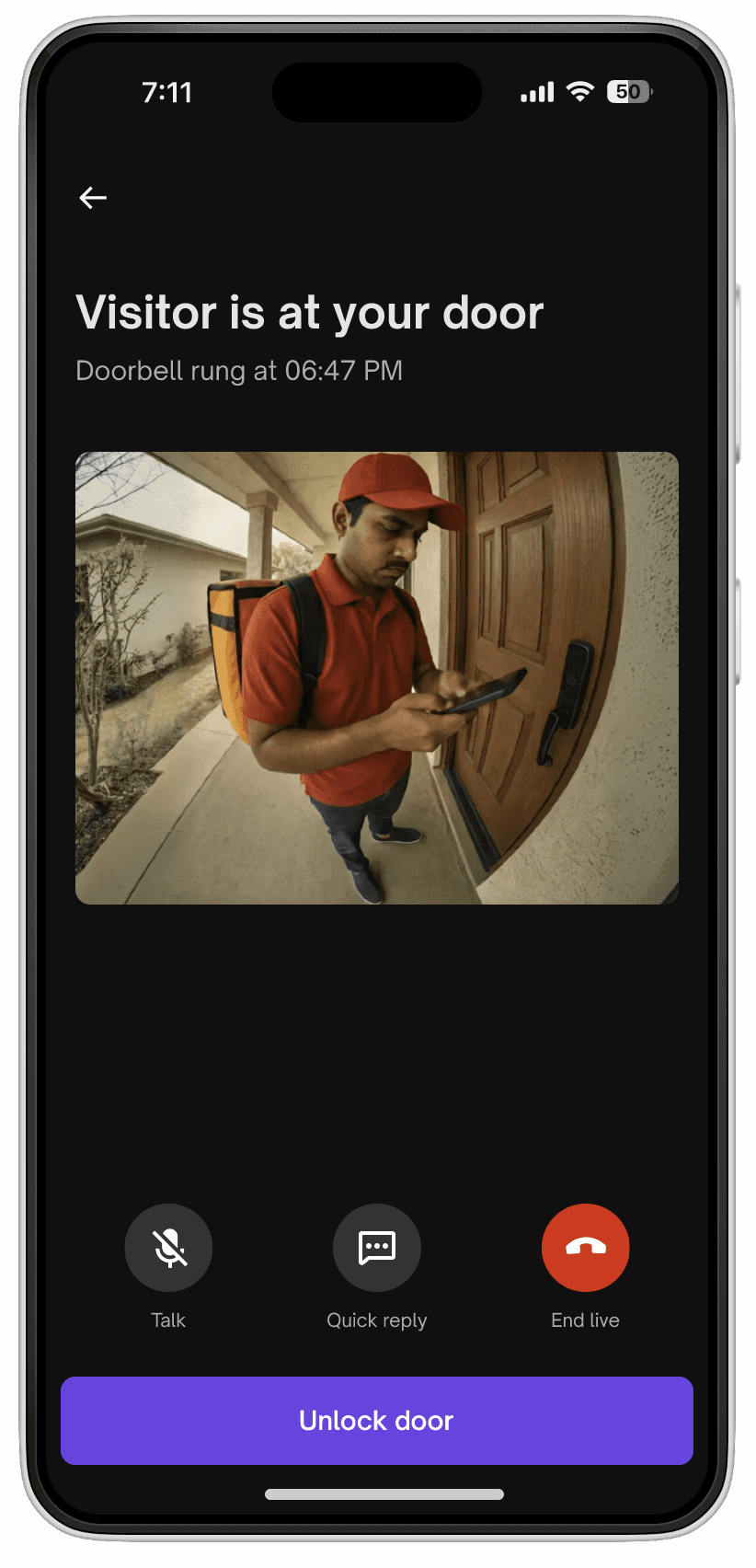
Two way talk
Belllink technology
Unlock from anywhere
Two way talk feature walkthrough
This was the feature where I spent a lot of time exploring around 25 types of different iterations of the screen as this was the hero feature and going to be the most used feature for the user. Will try my best to show how we solved with all the nuances.
Two way talk explorations
Option 1
Swipe to unlock. Reduces accidental triggers.
Problem: in a distracted context, a swipe requires more motor precision than a tap. Also feels unfamiliar to new users & assuming people would unlock their doors 5 times/day on average, so it had to be frictionless.
When launched for internal employees in the first phase; we got feedback that swipe feels like a lot of work to be doing throughout the day when we know who the visitor is.

Option 1: Swipe to unlock
Option 2
Hold to unlock. Duration creates intention
Problem: a 1–2 second hold under pressure (someone waiting at your door) reads as a lag. Creates anxiety at exactly the wrong moment.

Option 2: Hold to unlock
Option 3 (What we went ahead with)
Single tap unlock + native auth. Single tap triggers your device's Face ID before unlocking executes.
The biometric is the safety layer, not the gesture or swipe button. Fast for experienced users, obvious on first use.
Option 3: Native auth
We landed on tap + native auth because the principle was the unlock action should be fast and obvious. The safety should be invisible but present. Swipe and hold both tried to solve safety through the gesture which made the action harder. Native auth solves safety through identity, which is both more secure and less disruptive in daily usage.
Logic: Native auth on every app open would be redundant if you've already unlocked your phone with Face ID thirty seconds ago, asking you to authenticate again is friction that serves no one. But no session logic at all means a shared or unattended phone is a security gap.
We landed on a 5-minute session window. Native auth also gates every other critical action in the app independently of the session — member access changes, high security mode, unlock history.
The session logic is scoped to the unlock action. Everything sensitive stays protected regardless.
Other app builds
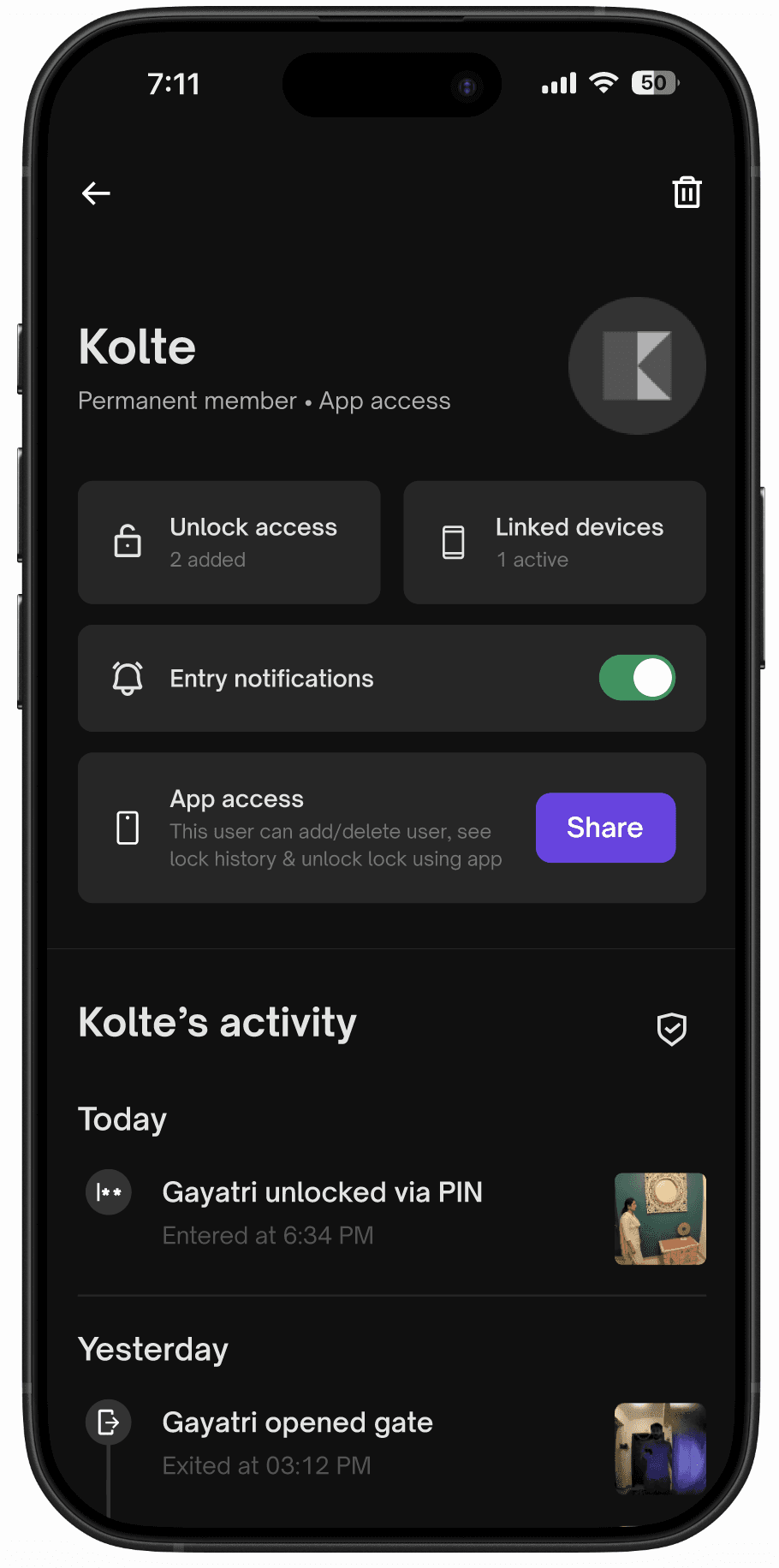
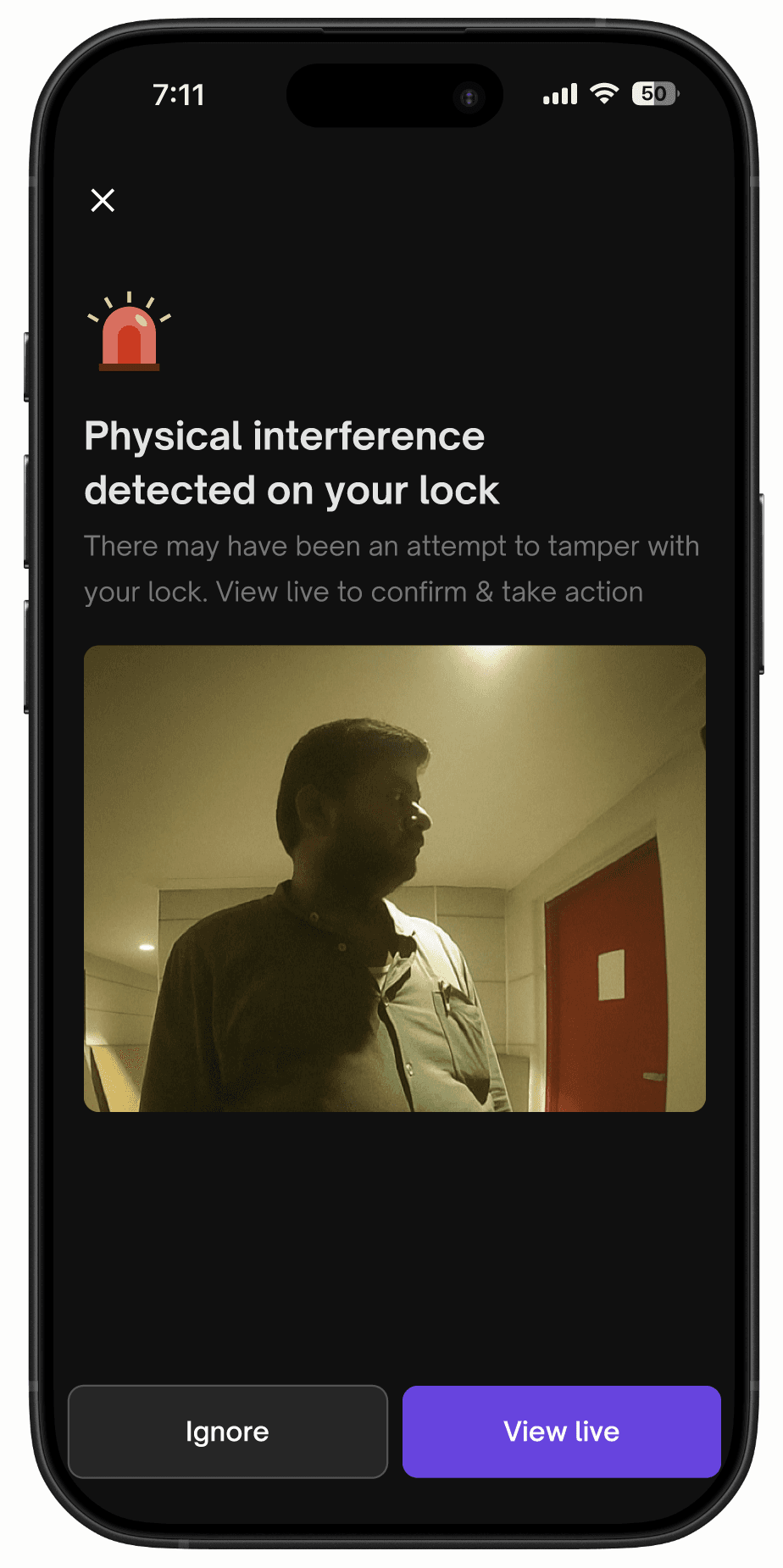
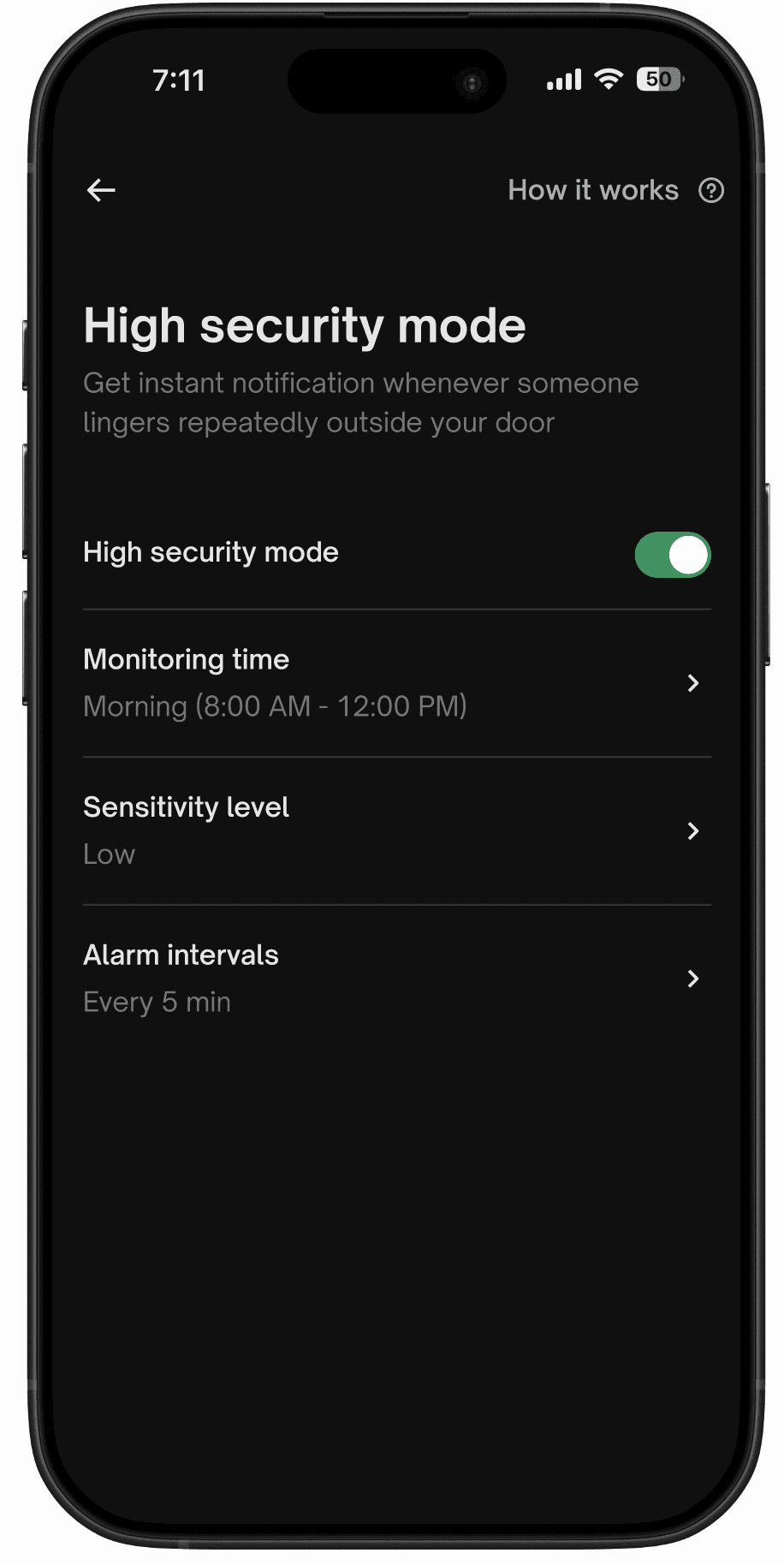
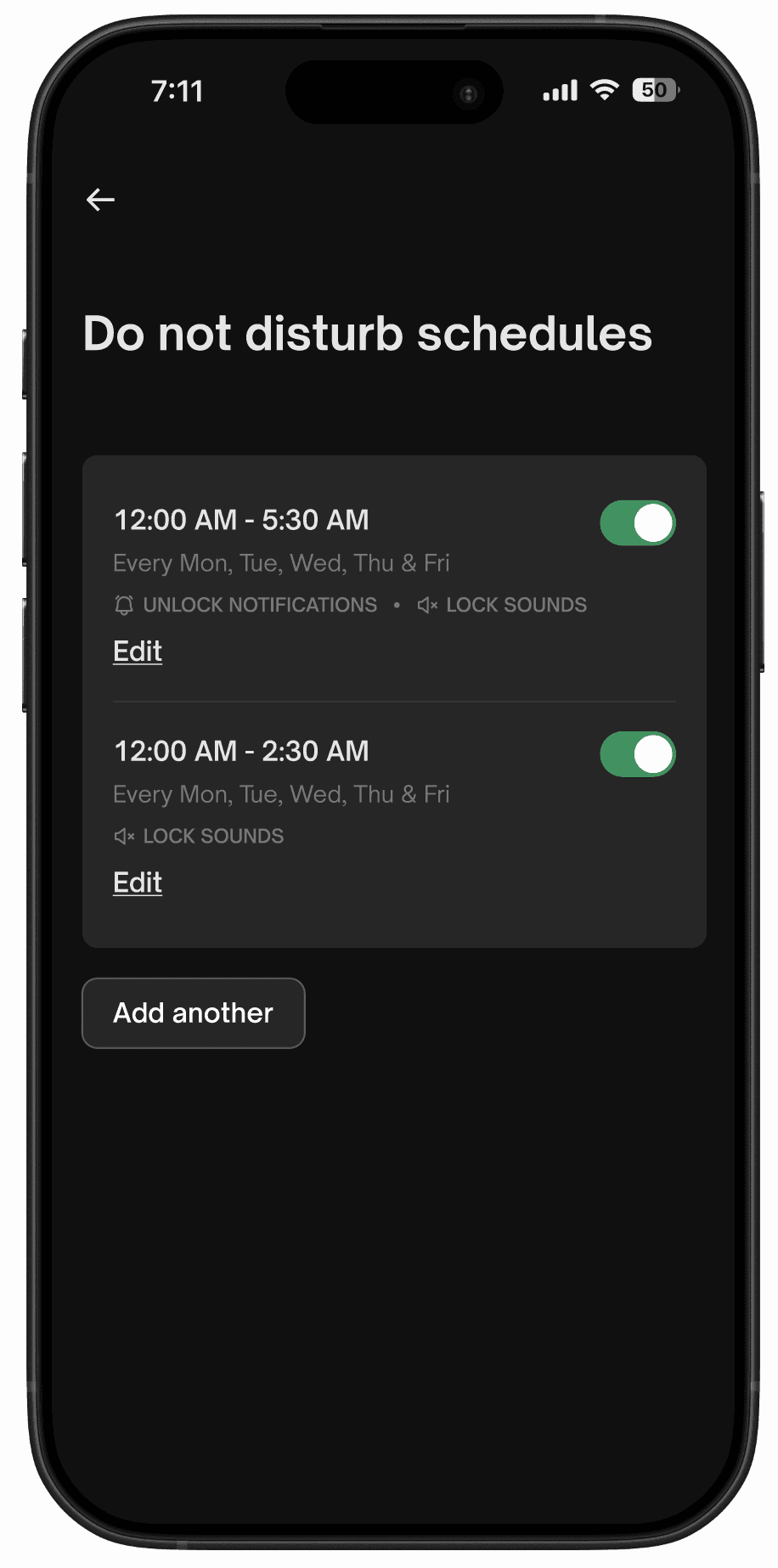
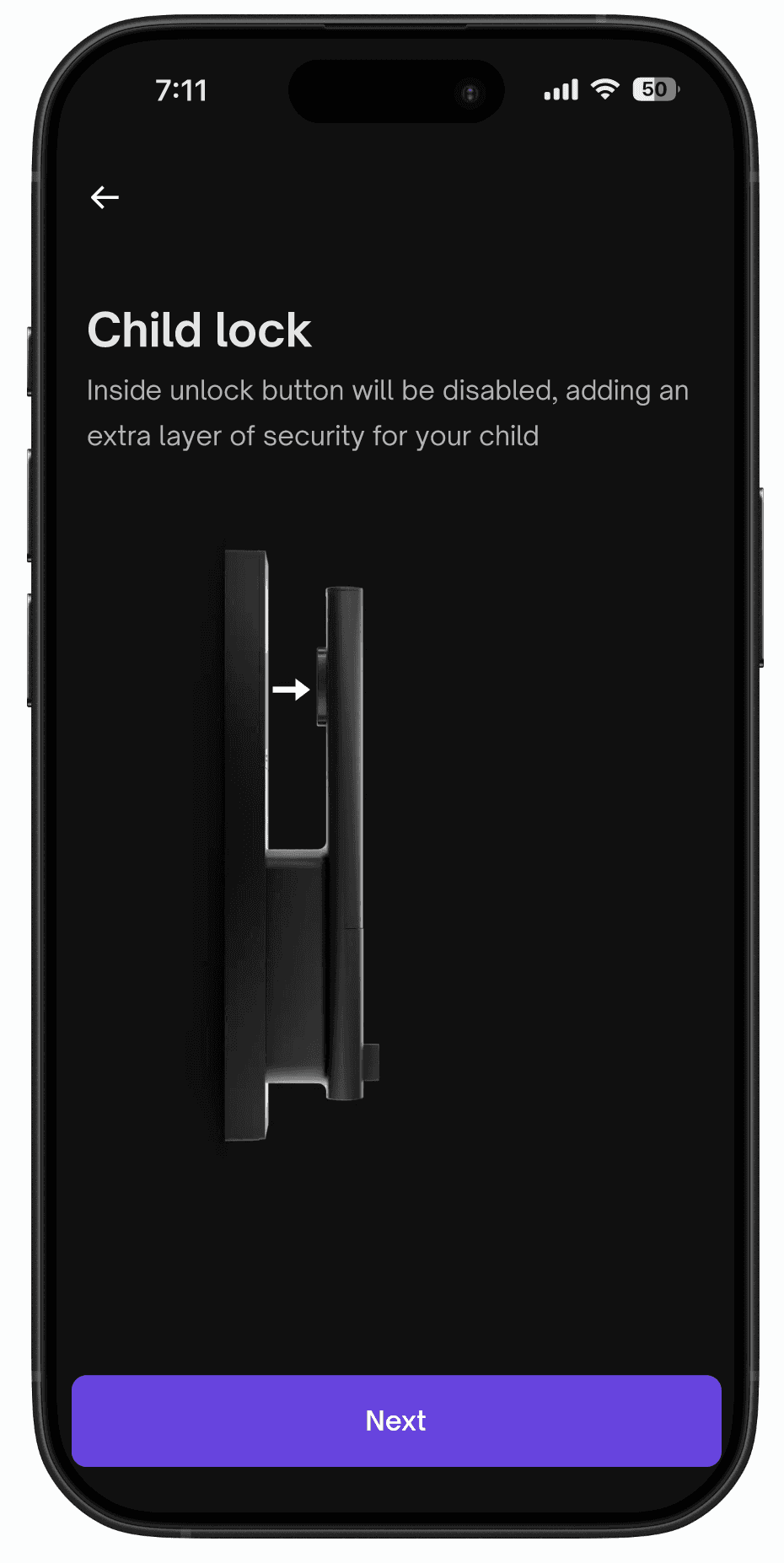
These include all the other app features including Child lock, Member addition, High security mode, Unlock history, Do not disturb schedules, Timed member access & more.
Lock ultra widget
This was a self initiated side project which was super interesting to work on as without opening the Urbancompany app users can see their lock's status & take quick actions from their phone's home screen
What if you could see the visitor right on your home screen?

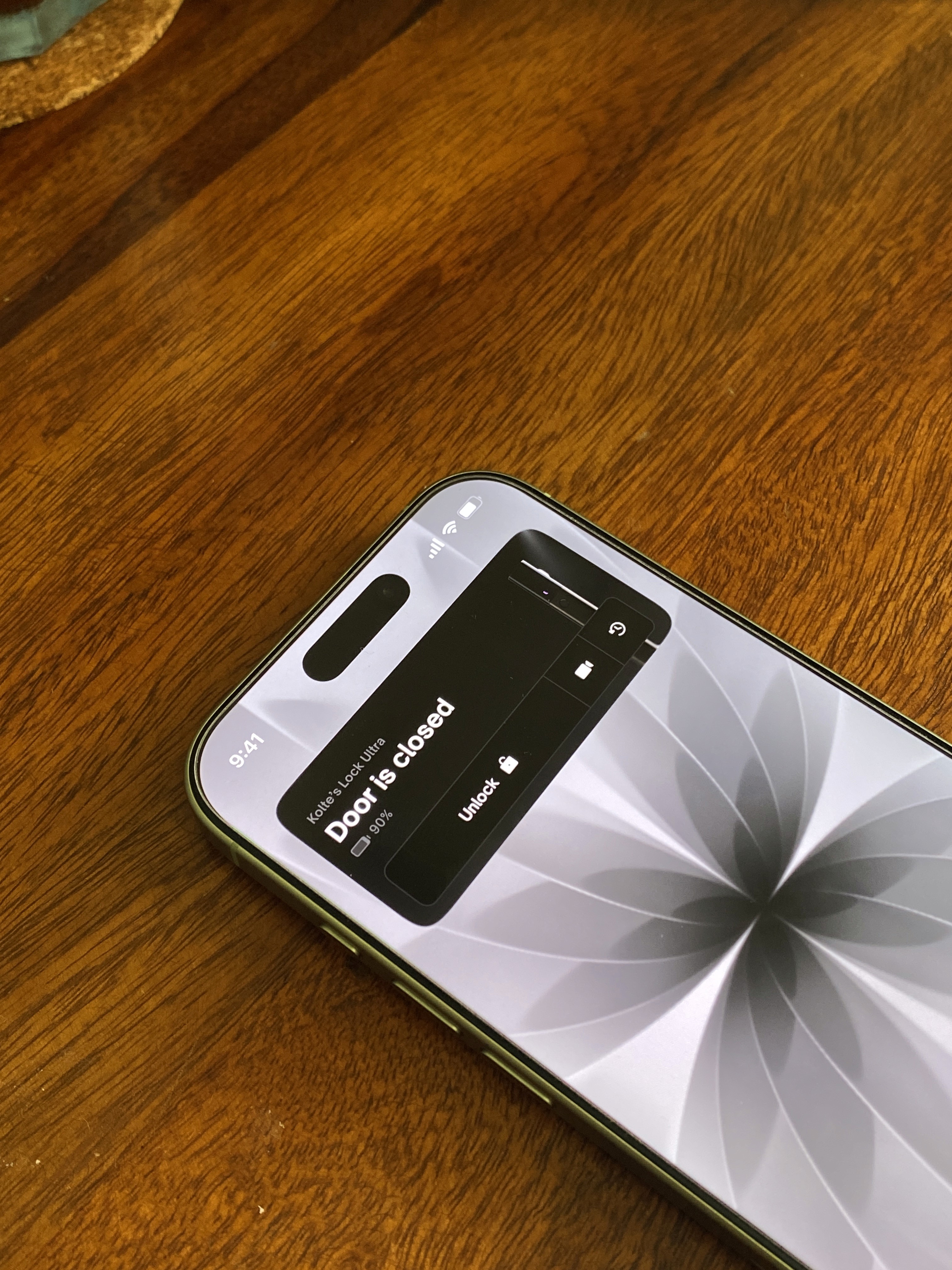

Widget explorations
Design system; Extending for dark UI
Urban Company's Align Design System, the unified design language powering a consumer app with 13M+ users and 1M+ DAU, was built entirely for light UI. Midway through the project, with most screens already done, the SVP of design made the call: Lock Ultra would ship dark. The launch date didn't move.
Two options. Build standalone dark components outside ADS, ship on time, deal with the mess later. Or extend ADS itself, properly, in coordination with the platform team, and take the time cost now.
I chose the second one. Every component built outside the system would've become debt the moment UC ships dark mode for the consumer app. That's a cleanup problem for designers working on a 13M-user product. Not something I was willing to leave behind.
So I worked with the platform team to align on tokens and component architecture. Built the complete dark UI set for everything Lock Ultra touched. Not a rebuild, a scoped extension. Done to production standard.
Those components now live in ADS. If UC ships dark mode, they're ready.
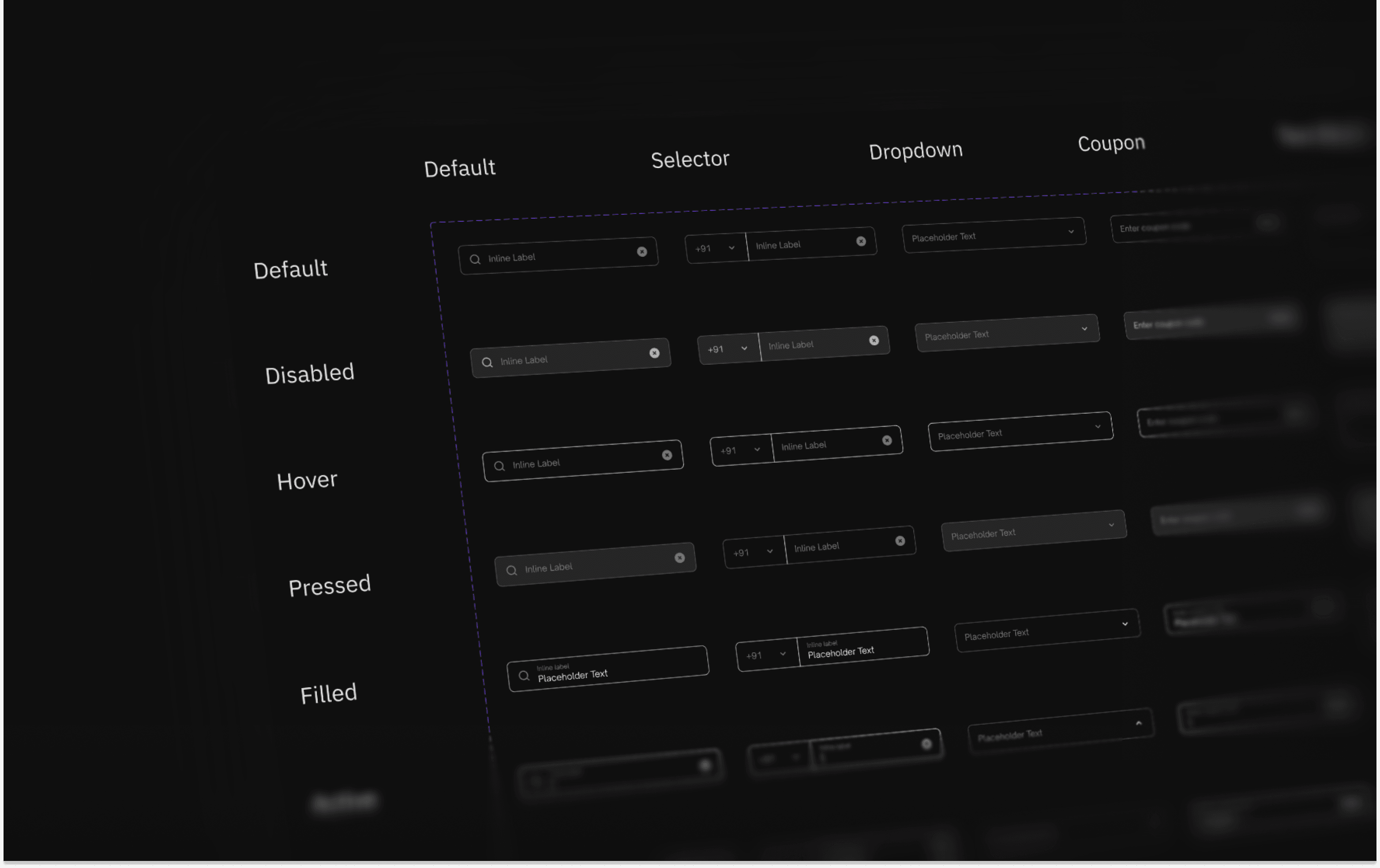
Dark UI components: ADS
QA and launch
Three weeks of bug bash & UI polish. My job was to be the last line between what we'd designed and what shipped reviewing every implemented screen and making the call on what was a bug versus what was a constraint we had to live with.
On week 2 of bugbash & QA; engineering flagged that the native authentication flow would be impossible to be shipped in the timelines & we had to go ahead with the swipe to unlock button – I pushed back because of the actual insights we got from the first set of initial internal users. We shipped the final solution which was decided, as designed.

UI Polish & interaction handoffs
Xcode
A lock that responds to your touch with the right haptic weight feels more secure & polished.
Trying out different haptic patterns & ramps for the unlocking experience in Xcode.
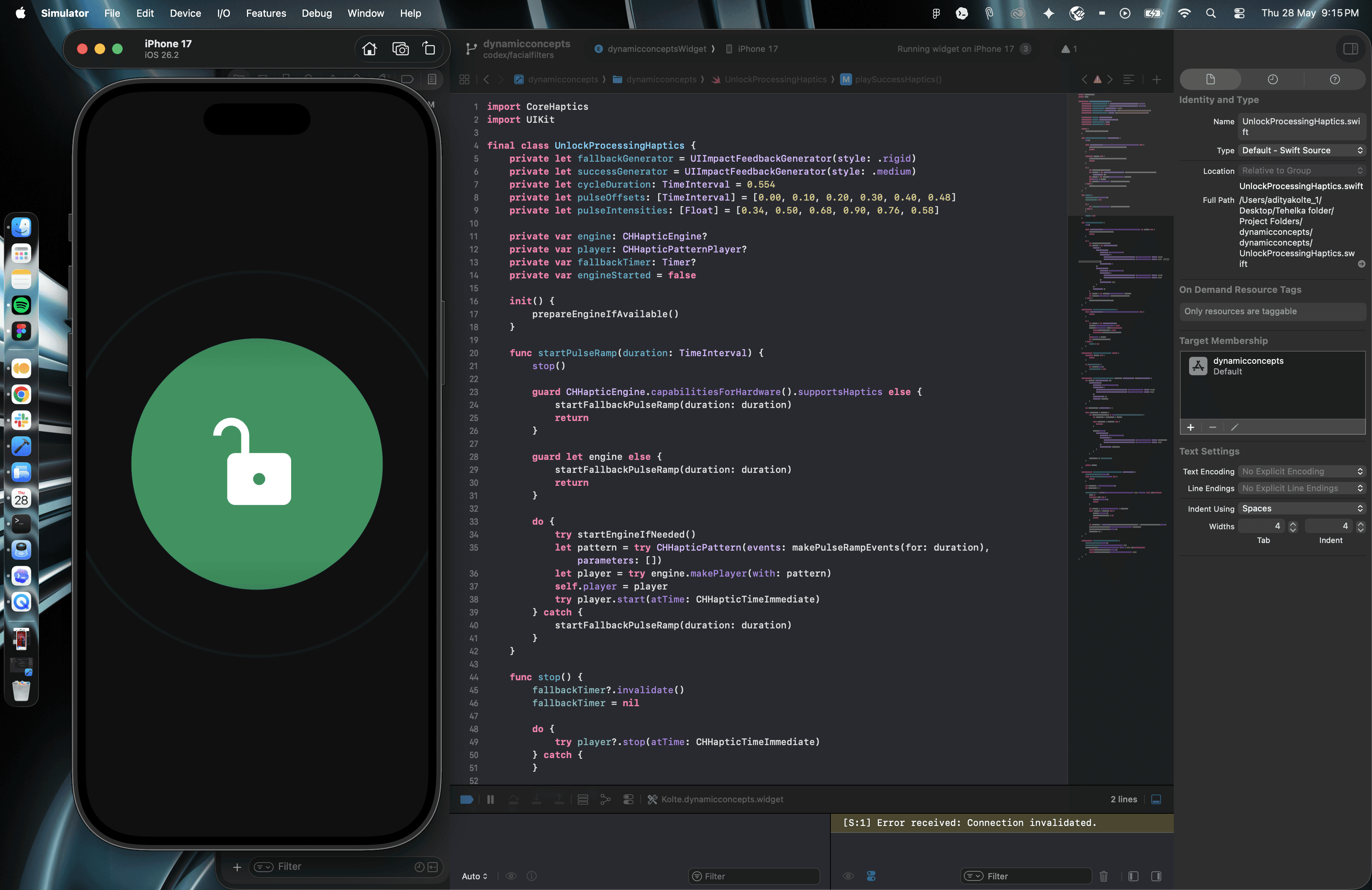
Haptic design

Apple Watch build
Vibecoded the entire build of Apple Watch companion app with AI for a smoother experience.
Ending notes
This was one of the most interesting projects, I have ever worked on as I had to collaborate with hardware designers, motion designers, software engineers, firmware engineers. Got to learn a lot about everything in this project from testing out different copies to different interactions and playing around lotties & 3D.
Please contact me if you'd like to know more or talk about anything which intrigued you above.
Acknowledgment
Thanks to Ankur Nischal, Amit Das, Om Karandikar, Ganesh Deharkar, Udit Shakya, Sarabjeet, Divyanshu, Harsh, Vinayak Agarwal, Deepak Jain, Gagan, Shivam Kedia, Ali Parker, Kunal Keshwani & Rishabhdhwaj Singh.
Next project


